Manual Adjustment
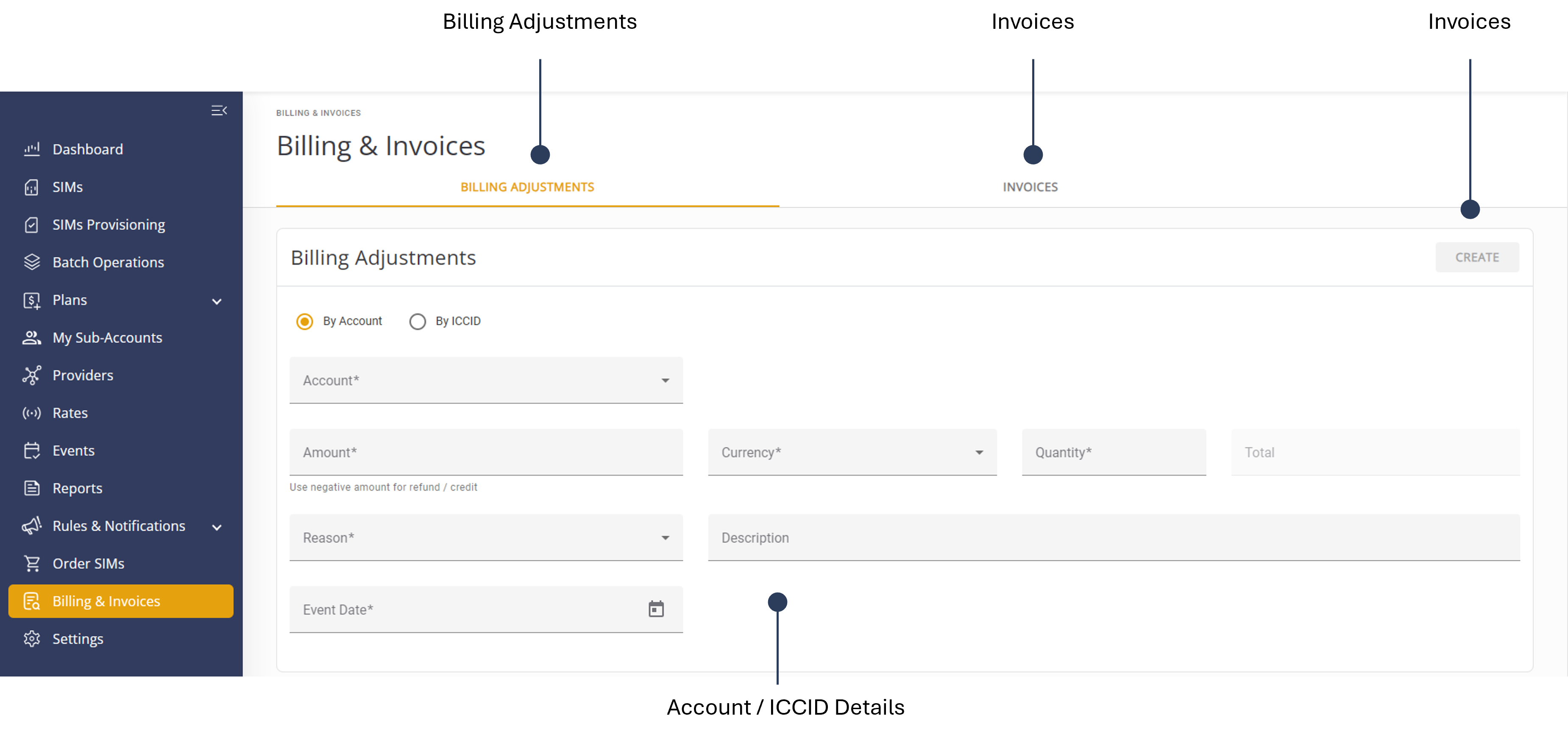
To make a manual billing adjustment for an account, do these steps:
- Select Billing & Invoices from the sidebar menu.
- Click the Billing Adjustments tab.
- Select one of these options:
- By Account
- By ICCID
- Select an Account from the list.
- Enter a billing adjustment Amount.. Use a negative amount for refund or credit.
- Select the applicable account Currency.
- Enter the billing adjustment Quantity.
- Select one of these Reason options:
- Network Activity
- Discount
- Rate Adjustment
- Refund
- Credit
- Add additional information in the Description field (optional).
- Enter the billing adjustment Event Date.
- Click Create to execute the billing adjustment.
When the billing cycle is complete, the billing adjustment is displayed in the invoice.
Here is a screen capture of the Billing Adjustment screen.